

When someone in IT proposes upgrading the wireless network, the standard reaction is: “But our Wi-Fi is already fast”. Understandable most users measure network quality by a quick speed test. Yet, the move to Wi-Fi 7 is not just about chasing a bigger number on a screen. It’s about latency, stability, scalability, and how the wireless network fits into an increasingly wireless-first strategy.
A better user experience with Wi-Fi 7
Wi-Fi 7 (IEEE 802.11be) does deliver higher throughput, but its true value lies in what users don’t immediately see. Technologies like Multi-Link Operation (MLO) allow devices to transmit across multiple bands simultaneously (balancing traffic between 2.4 GHz, 5 GHz and 6 GHz as needed). The result is not just “more speed”: response times become shorter and much more predictable. For real-time collaboration , VDI (Virtual Desktop Infrastructure), voice or video, that predictability is the difference between a smooth meeting and one marred by constant interruptions.
Wi-Fi 7 also changes how the spectrum is used in crowded environments. Wider 320 MHz channels, 4K-QAM modulation and a more advanced OFDMA engine let access points communicate with more clients in parallel much more efficiently. Practically speaking: at 9:00 a.m., when everyone connects to the same SSID, launches video calls and opens SaaS applications at once, the network handles the peak load far better. This translates into fewer helpdesk complaints and fewer explanations like “the Wi-Fi is fine, it’s just that…”.
In shared workspaces, the difference is even more noticeable. Picture a meeting room hosting a 4K video conference, wireless presentations, and multiple people sharing documents in real time. With Wi-Fi 7, you don’t just increase per-user throughput; you reduce the chance that a session freezes right as the sales director is presenting to a client. Ultimately, what improves is the quality of the meeting experience, which is what the business notices.
Industrial, logistics, and office scenarios for Wi-Fi 7
Industrial and logistics settings provide another clear example. In warehouses, factories and distribution centers, Wi-Fi has moved from “nice to have” to mission-critical. Barcode scanners, rugged terminals, maintenance tablets and automated vehicles all rely on stable connections. Here, the goal is not for a device to download a file at 2 Gbps, but for control packets to always arrive on time, for roaming between access points to be seamless, and for the network to tolerate interference and radio noise. With proper design, Wi-Fi 7 tools provide exactly that: less wireless uncertainty in processes that are already highly sensitive.
At the same time, more and more offices are doing away with desk cabling altogether. Network outlets exist only for uplinks, access points (APs), and a handful of fixed devices; everything else goes over WLAN. In these situations, the wireless network becomes effectively the new access LAN. If the productivity of an entire branch depends on Wi-Fi, having more capacity, better queue management and more airtime usage becomes almost a requirement. Wi-Fi 7 is designed to absorb this growth without forcing you to double the AP count on every floor.
Hybrid environment for Wi-Fi 7
Of course, it’s not all advantages. Upgrading to Wi-Fi 7 also has a less glamorous side that must be understood before starting the project. The first is obvious: cost. Wi-Fi 7 access points are more expensive than previous generations, and without a clear business driver (new office, recurring capacity issues, critical applications), the investment can be hard to justify on technical grounds alone.
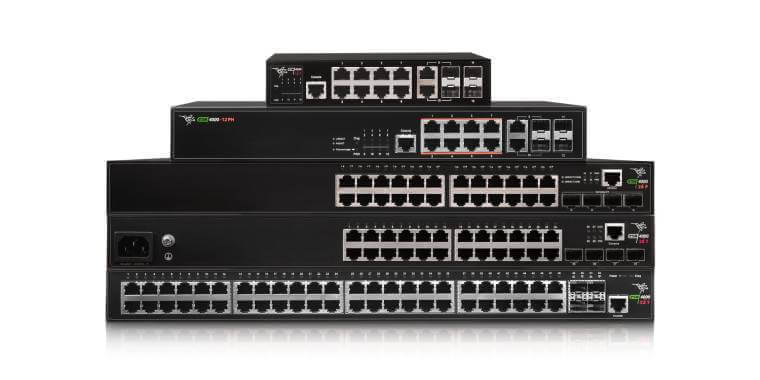
The second major implication lies in the cabling. To truly leverage Wi-Fi 7, simply changing the APs is not enough—you need to revisit access switches and PoE. Many models will require 2.5 or 5 GbE links, and in some scenarios even 10 GbE, along with PoE++ (802.3bt) to power multiple radios and advanced features. If access remains 1 GbE with limited PoE+, the bottleneck simply moves from the air to the copper, and the upgrade is underutilized.
The device ecosystem is another factor. For years, Wi-Fi 5, Wi-Fi 6, Wi-Fi 6E and Wi-Fi 7 devices will coexist. Planning for SSID, bands, and security is key so as not to penalize existing clients or complicate day-to-day operations. In practice, many organizations will end up with a hybrid environment, where Wi-Fi 7 is first deployed in critical areas and then gradually expanded as terminals are refreshed.
Wi-Fi 7 Strategy
In light of the above, the question is not “Do I want more speed?”, but rather: “What business problems does Wi-Fi 7 solve in my organization?“. If reliance on real-time applications is high, if certain spaces consistently suffer from high user density, or if a new office is being planned with a multi-year outlook, Wi-Fi 7 is worth serious consideration. A sensible strategy is to start in high-impact zones, such as auditoriums, training rooms, production floors, strategic branches and supplement this new wireless technology implementation with multi-gigabit switches ready for PoE++.
Conclusions on Wi-Fi 7
Upgrading Wi-Fi is no longer a cosmetic refresh. It is an architectural decision: preparing for a world where the majority of user traffic arrives wirelessly. Wi-Fi 7 is a major step towards that future, but it only makes sense when aligned with how your organization will operate over the next five to seven years.
Partnering with a European manufacturer such as Teldat, with a portfolio spanning corporate routers, switching and cloud-managed Wi-Fi access points, streamlines this transition. Instead of stitching together isolated solutions, you can build a coherent, end-to-end architecture that evolves with your business.